

Digital marketing for small business comes down to five core steps: claim your Google Business Profile, build a simple website, establish social media accounts where your customers spend time, create consistent content, and track what drives actual sales. You don’t need a marketing degree or a five-figure budget. Most small businesses see their first online leads within 30 to 60 days using free or low-cost tools.
The confusion isn’t surprising. Between social media platforms, email services, search ads, and content strategies, the options feel endless. But here’s what works: small businesses that focus on being found locally, staying visible consistently, and measuring results outperform those chasing every new trend.
Take Sarah Chen, who runs a pet grooming service in Burlington, Ontario. She started with nothing more than a Google listing and an Instagram account posting before-and-after photos. Within three months, 40% of her new bookings came through online channels. She didn’t hire an agency or learn complex technical skills. She followed a clear sequence and adjusted based on what her analytics showed.
This guide walks you through that same sequence. You’ll set up the foundational tools that help customers find you, learn which platforms actually matter for your specific business, and discover how to measure whether your efforts are working. The goal isn’t to become a marketing expert overnight. It’s to build a reliable system that brings customers to your door while you focus on running your business.
What You’ll Need to Get Started
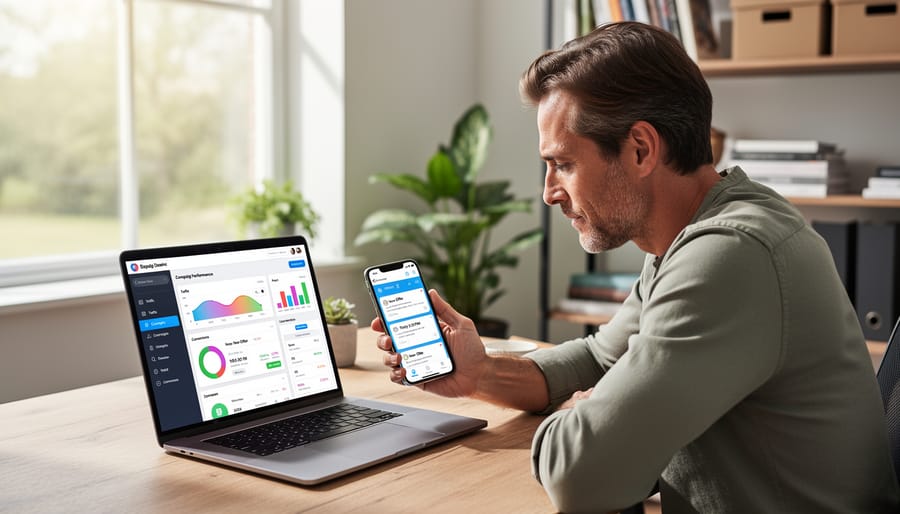
You don’t need a massive budget or a technical degree to start marketing your small business online. Most Canadian entrepreneurs can get started with a combination of free tools and modest monthly investments. The key is choosing the right foundation pieces rather than overwhelming yourself with expensive platforms you won’t use.
Here’s what you’ll actually need to launch your digital marketing efforts:
- A website or landing page where customers can learn about your business and take action
- At least one or two social media accounts on platforms where your customers spend time
- An email marketing platform to build and communicate with your subscriber list
- Basic analytics tools like Google Analytics and native social media insights
- Simple content creation tools for images, videos, or graphics
- A modest monthly budget, even if it’s just $100-$300 to start
The good news is that many essential digital marketing tools offer free versions that work perfectly well for small businesses. Google Analytics is completely free. Social media platforms cost nothing to set up. Email services like Mailchimp or MailerLite provide free plans for up to 500-1,000 subscribers. Canva offers a robust free tier for creating professional-looking graphics.
You’ll want to invest in paid options as you grow, but you can absolutely start without spending much. A basic website through Wix or Squarespace runs $15-$30 monthly. Upgrading your email platform might cost $20-$50 as your list grows. Setting aside $100-$200 for occasional social media ads gives you room to experiment.
The realistic approach for most small businesses is to start with free tools, learn the basics, and upgrade selectively based on what you’re actually using. Don’t pay for premium features you haven’t explored yet. Your time and attention matter more than expensive software at this stage.
Common Pitfalls and What to Avoid Before You Start
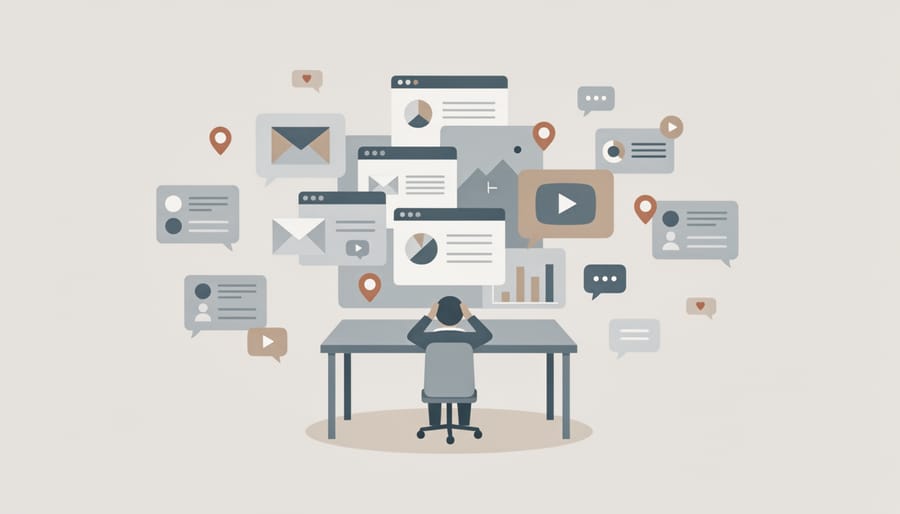
Before you invest time and money into digital marketing, watch out for these expensive mistakes that trip up most small business owners.
The biggest trap is trying to be everywhere at once. You see competitors on Facebook, Instagram, LinkedIn, TikTok, and YouTube, so you sign up for all of them. Within weeks, you’re burned out posting recycled content to empty accounts. Spreading yourself thin means you do nothing well. Pick two channels where your customers actually spend time and focus your energy there. The same applies to tools, start with one or two of the top digital marketing tools that solve your immediate needs, not a dozen that sit unused.
Another critical error is skipping the planning stage and jumping straight to posting. Without clear goals, you cannot measure success or know what’s working. Are you trying to drive traffic, generate leads, or build awareness? Each requires different content and platforms. Similarly, ignoring who your target audience is leads to generic messaging that resonates with no one.
Never buy followers, likes, or engagement. Those fake numbers might inflate your ego, but they wreck your analytics, damage your credibility when real customers notice, and violate most platform policies. You want 100 engaged, real followers over 10,000 bots.
Failing to track your results is like driving blindfolded. If you don’t know which posts bring in customers or which ads waste money, you’ll keep repeating the same mistakes. Set up basic tracking from day one.
Finally, overlooking privacy regulations puts you at legal risk. CASL governs email marketing consent, and PIPEDA covers how you collect and handle customer data. These aren’t optional guidelines. Ignoring them can result in hefty fines and destroy customer trust before you’ve built it.
Step 1: Define Your Goals and Target Audience
Before you post a single social media update or send one email, you need to answer two questions: what do you want to accomplish, and who are you trying to reach?
Start with your goals. Do you want more people to know your business exists (brand awareness)? Generate inquiries and leads? Drive immediate sales? Keep existing customers coming back? Most small businesses need all of these, but trying to tackle everything at once spreads your efforts too thin. Pick one or two primary goals for your first 90 days. These goals will determine which channels you use and what you measure.
Make your goals SMART: Specific, Measurable, Achievable, Relevant, and Time-bound. Instead of “get more customers,” aim for “generate 20 qualified leads per month through social media by the end of Q3.” This clarity makes success measurable and keeps you focused.
Next, define your target audience. Who actually needs what you sell? Create a simple customer profile: What’s their age range? Where do they live? What problems keep them up at night? What solutions have they already tried? A Calgary coffee shop owner targeting busy professionals will market very differently than one courting weekend brunch crowds.
Understanding your audience’s pain points shapes everything. If your ideal customer struggles to find reliable contractors, your messaging should emphasize trust and transparency. Check out these brand strategy tips for deeper guidance on positioning your business effectively.
Here’s where digital marketing analytics becomes crucial: the goals you set now determine what you’ll measure later. If lead generation is your goal, you’ll track form submissions and cost per lead. If it’s brand awareness, you’ll monitor reach and engagement. Clear goals today make your analytics meaningful tomorrow.
Step 2: Build or Optimize Your Online Foundation

Your website is your digital storefront, and it needs to work hard for your business even when you’re closed. Whether you’re building from scratch or improving what you have, focus on three things: making it easy to use, ensuring it works on phones, and setting up tracking so you can see what’s happening.
Start with the basics. Your site should load quickly, have clear navigation, and tell visitors exactly what you do within seconds. If someone lands on your homepage, they shouldn’t need to hunt for how to contact you or what you offer. Test it on your own phone, if you’re frustrated trying to find your hours or phone number, your customers are too.
Here’s your foundation checklist, in order:
- Choose a platform that fits your skills and budget. WordPress, Wix, and Squarespace work well for small businesses. If you already have a site, audit it for broken links and outdated information.
- Add clear calls-to-action on every page. “Book a consultation,” “Get a quote,” or “Shop now” buttons should stand out and tell people exactly what to do next.
- Create a Google Business Profile if you serve local customers. This free listing puts you on Google Maps and search results, and it’s often the first thing potential customers see.
- Install Google Analytics tracking code on every page of your site. This is non-negotiable, without it, you’re marketing blind. The setup takes 15 minutes and gives you data on who visits, what they view, and where they came from.
- Test your site on multiple devices. At least 60% of web traffic comes from mobile phones, so if your site isn’t mobile-friendly, you’re losing customers before they even meet you.
This foundation makes everything else measurable. Once tracking is live, you’ll see which marketing efforts send traffic to your site and which pages convince visitors to become customers.
Step 3: Choose the Right Digital Marketing Channels
With your foundation in place and goals defined, you’ll face a common temptation: trying to be everywhere at once. Resist it. Spreading yourself across every platform dilutes your effort and makes it impossible to track what’s actually working.
Start with two or three channels that align with where your customers spend time and what you’re trying to achieve. A local bakery will find different success than a B2B consultant, and that’s exactly the point.
If you sell visual products or services (food, fashion, home décor, fitness), Instagram and Facebook offer built-in audiences actively browsing for inspiration. If you’re targeting other businesses or professionals, LinkedIn provides direct access to decision-makers. For service businesses where trust matters, email marketing lets you nurture relationships over time without competing for attention in a crowded feed.
Search engine optimization works for businesses where customers actively search for solutions. If someone types “accountant near me” or “best coffee shop downtown,” you want to appear. SEO takes months to build momentum, but it delivers qualified visitors who are already interested.
Google Ads suits businesses with clear conversion goals and some budget to test. You pay only when someone clicks, and you can start small while you learn what messages resonate. It’s particularly effective for seasonal promotions or competitive local markets.
Content marketing (blogging, videos, guides) supports almost any channel strategy by establishing expertise and feeding your other platforms with material to share. It’s slow-building but compounds over time.
Match channels to your capacity, not your ambitions. Two platforms managed well outperform five neglected ones. Choose based on where your target audience already gathers, what format suits your strengths (writing, video, conversation), and which channels your analytics can easily track. You can always expand once you’ve mastered your first selections and have data showing what works.
Step 4: Create and Share Valuable Content

Content is what connects you to your audience and gives them a reason to follow, trust, and buy from you. The good news? You don’t need a content studio or professional writers to create material that works.
Start by answering the questions your customers actually ask. If you’re a landscaper, write about when to aerate lawns in your region or how to choose winter-hardy plants. If you run a bakery, share your process for making sourdough or tips for storing pastries. These topics position you as helpful first, salesy second.
Plan a simple content calendar covering two weeks at a time. Decide what you’ll post and where: maybe a blog article every two weeks, three social media posts per week, and one email newsletter monthly. This rhythm keeps you visible without burning you out. Batch your work when possible, write several posts in one sitting, shoot multiple photos at once.
Quality beats quantity every time, especially when you’re stretched thin. One useful, well-crafted post that solves a real problem will outperform five generic updates. Focus on clarity and relevance, not polish. Your audience cares more about substance than production value.
Repurpose everything. Turn a blog post into five social media tips, a short video, and three email newsletter snippets. Record a quick video answering a common question, then transcribe it into a blog post. This approach multiplies your reach without multiplying your workload.
Weave in stories whenever you can. Share a customer success, explain why you started your business, or describe a challenge you overcame. Stories make your content memorable and build the human connection that turns followers into customers.
Step 5: Set Up Your Analytics and Tracking
You can’t improve what you don’t measure. Setting up analytics now, before you launch campaigns, gives you a clear picture of what’s working and what’s wasting your budget.
Start with Google Analytics, which is free and tracks how people find and use your website. Sign up at, add your website, and you’ll get a tracking code to paste into your site’s header. Most website builders (WordPress, Shopify, Wix) have simple guides for this, or your web developer can do it in minutes. Once installed, Analytics shows you visitor numbers, where they came from, which pages they viewed, and how long they stayed.
Next, set up conversion tracking so you know when visitors take actions that matter, purchases, contact form submissions, phone calls, newsletter sign-ups. In Google Analytics, define these as “goals” under the Admin section. If you’re running Google Ads, configure Conversion measurement for ads so you can see which ads actually drive sales or leads, not just clicks.
Connect your social media insights too. Facebook, Instagram, and LinkedIn all provide free analytics showing post reach, engagement, and audience demographics. You don’t need fancy tools, just check each platform’s native insights weekly.
Now create a simple tracking dashboard. A Google Sheet works perfectly. List your key metrics in columns: website traffic, conversion rate (conversions divided by visitors), cost per lead (ad spend divided by leads), and social engagement rate (likes, comments, shares divided by followers). Update it weekly or monthly.
Focus on these four metrics first. Traffic tells you if people are finding you. Conversion rate shows if your site turns visitors into customers. Cost per lead reveals whether your ad spending makes financial sense. Engagement rate indicates if your social content resonates. You can always add more metrics later, but these four give you the essential health check for your digital marketing.
Step 6: Launch Your First Campaign
Your foundation is set, your analytics are tracking, and you’ve identified your channels. Now it’s time to launch your first campaign, but keep it simple.
Choose one clear objective for this initial effort. Maybe it’s promoting a seasonal sale, announcing a new service, or driving traffic to your most popular product page. Whatever you pick, build everything around that single goal rather than trying to accomplish multiple things at once.
Set a modest budget you’re comfortable testing with, $100 to $300 is enough for most small businesses to learn what works. If you’re running paid ads on Facebook or Google, start with a two-week test period. For organic campaigns using email and social media, plan your content calendar for the same timeframe so you can compare results fairly.
Schedule your content in advance using free tools like Meta Business Suite for social posts or your email platform’s scheduling feature. This keeps you consistent even during busy weeks. If you’re combining organic posts with a small ad spend, make sure your messaging stays aligned across all touchpoints.
Launch on a day when you can monitor initial responses, not right before you leave for vacation. Once live, resist the urge to change everything after 24 hours. Give your campaign the full test period to gather meaningful data.
Expect modest results from your first effort. A few new email subscribers, increased website visits, or a handful of sales all count as wins when you’re learning. The real value is discovering what resonates with your audience, which channels deliver, and how marketing automation might help you scale what works next time.
How to Know It’s Working: Measuring Your Results
After 2-4 weeks of running your campaign, it’s time to check whether your efforts are paying off. Open your Google Analytics dashboard and your social media insights, then compare what you’re seeing against the goals you set in Step 1. If your goal was to generate 20 leads per month and you’ve captured 12 in three weeks, you’re on track. If you aimed for 500 website visitors but only reached 150, something needs adjustment.
Start by identifying your best performers. Which blog post attracted the most visitors? Which social media platform drove actual clicks to your website? Which email had the highest open rate? Double down on what’s working rather than spreading effort evenly across everything. If Instagram posts with behind-the-scenes photos get three times the engagement of product shots, make more of those.
Watch for warning signs too. A high bounce rate means people leave your site immediately, suggesting your content doesn’t match what they expected from your ad or post. Low email open rates might mean your subject lines need work, or you’re emailing too frequently. If paid ads are costing $50 per lead when your average sale is $60, the math doesn’t work.
Sarah, who runs a Toronto bakery, noticed after three weeks that her Facebook posts got lots of likes but zero website clicks, while her monthly email newsletter drove 15 orders. She shifted her energy to building her email list through in-store sign-ups and cut back on daily Facebook posting. Within two months, email-driven sales doubled.
If something isn’t working after four weeks of consistent effort, change one variable at a time. Test a new headline, switch your posting time, or try a different content format. Give each change two weeks before deciding whether it helped.
What to Do Next: Scaling and Improving Over Time
Once you’ve run your first campaign and reviewed the results, resist the urge to overhaul everything immediately. Instead, double down on what’s already working. If Instagram posts about behind-the-scenes content got twice the engagement of product shots, create more of that. If your Google Ads converted better on mobile devices, adjust your bid strategy accordingly. Small refinements based on real data consistently outperform dramatic pivots based on hunches.
Expand to new channels only when you’ve mastered your current ones. If you’re posting consistently on Facebook and seeing results, that’s when to test Instagram or email marketing, not before. Stretching yourself across five platforms you barely maintain will always underperform focusing on two you do well.
Automation becomes valuable once you’ve established what works. Schedule social posts in batches using free tools like Meta Business Suite. Set up email workflows that welcome new subscribers automatically. These systems free up time for strategy and content creation rather than daily posting.
Build a monthly review habit. Block 30 minutes to check your analytics, note what’s improving, and adjust one or two things for the coming month. This regular check-in prevents you from drifting off course and helps you spot trends before they become problems.
Growth happens through small, consistent improvements, not overnight breakthroughs. Celebrate a 10% increase in website traffic or five new email subscribers. Those modest wins compound over months into significant business impact.
Frequently Asked Questions
How much should I budget for digital marketing as a small business?
Start with 5-10% of your gross revenue if you can, but even $200-500 monthly can deliver results if spent strategically. Focus your budget on one or two channels that reach your specific audience rather than spreading it thin, and remember that time investment matters as much as money, many effective tactics like organic social media and email marketing cost little beyond your effort.
Do I need to hire an agency or can I do this myself?
Most small businesses can handle the basics themselves, especially when starting out. Consider doing it yourself for the first few months to understand what works, then hire help for specific tasks you find time-consuming or technical (like running ads or SEO). Many Canadian entrepreneurs successfully manage their digital marketing solo using free tools and templates.
How long before I see results from digital marketing?
Expect to wait 2-3 months before seeing meaningful patterns in your analytics, though some tactics like email campaigns to existing customers can produce results within weeks. Paid advertising typically delivers faster visibility than organic strategies like SEO or content marketing, which build momentum over 6-12 months. Consistency matters more than perfection when you’re starting.
What if I don’t have time for social media?
Choose one platform where your customers actually spend time and post 2-3 times weekly rather than trying to be everywhere daily. Batch-create content in one sitting, schedule posts in advance using free tools, and repurpose the same core message across your website, email, and social channels. Quality beats quantity, a single helpful post per week outperforms daily generic updates.
How can I compete with bigger businesses that have huge marketing budgets?
Focus on being local, personal, and specific rather than trying to outspend competitors. Your advantage is authenticity, share your story, respond directly to customers, and target precise niches that large companies overlook. A well-targeted campaign reaching 500 ideal local customers will outperform a generic campaign reaching 50,000 random people.
Should I focus on paid advertising or organic marketing?
Start with organic strategies to learn what content resonates with your audience, then add small paid campaigns to amplify what’s already working. This combination gives you sustainable long-term growth from organic efforts while paid ads provide quicker visibility for promotions or launches. Your analytics will show which mix delivers the best return for your specific business.
These questions reflect what most Canadian small business owners wrestle with when starting their digital marketing journey. The answers won’t be identical for every business, a downtown Toronto bakery will approach budget and channels differently than a Saskatoon consulting firm, but the underlying principles hold true. Your specific situation will become clearer once you start tracking results and seeing what your particular audience responds to.
The beauty of digital marketing for small businesses is that you can test answers to these questions with real data rather than guessing. Try an approach for a month, check your analytics, adjust based on what you learn, and repeat. That cycle of testing and refining beats perfect planning every time.
Digital marketing isn’t reserved for companies with massive budgets and full-time teams. You’ve seen the roadmap: define your goals, build your foundation, choose your channels, create content, track results, and improve over time. Each step is manageable on its own.
The biggest mistake isn’t starting imperfectly, it’s not starting at all. Pick one or two steps from this guide and take action this week. Set up your analytics tracking. Write your first email newsletter. Claim your Google Business Profile. Small, consistent efforts compound.
What separates businesses that grow online from those that spin their wheels? Data. When you track what works and what doesn’t, you stop guessing and start making informed decisions that actually move the needle.
You don’t need to master everything overnight. Start where you are, use what you have, and let the numbers guide your next move. Your customers are online right now, looking for exactly what you offer.
You may also like
-
What Is Digital E-Commerce (and How Does It Work)?
-
How to Market Your Hemp CBD Business in Canada: Step-by-Step Strategy for 2026
-
How to Use Zapier for Small Business: Automate Your Marketing in 7 Steps
-
What Is the Most Profitable Craft Business (and How Does It Work)?
-
Why the Best Canadian Small Businesses Treat Every Client Like Their Only Client